
Quick Steps
- 1
Run a baseline performance audit
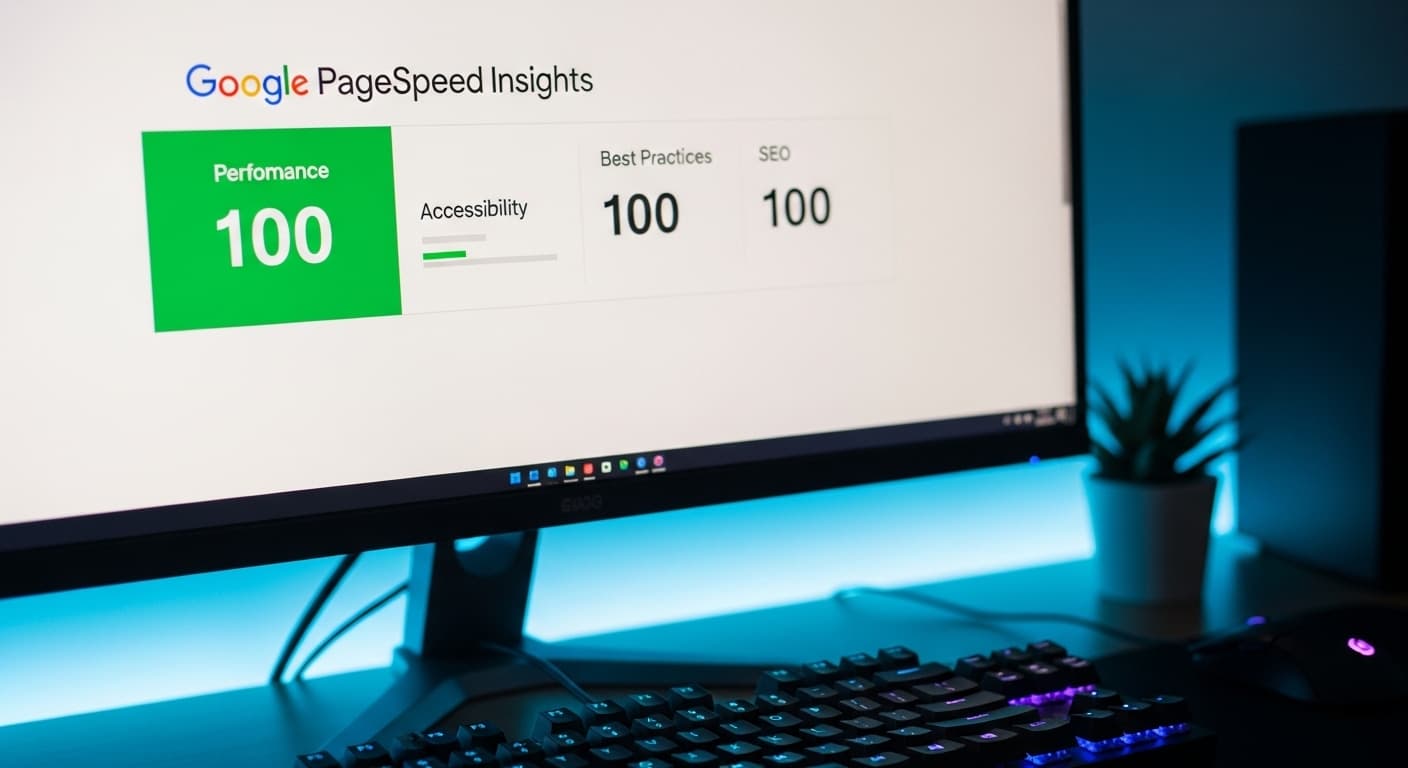
Open Google PageSpeed Insights and test your five most important pages: your homepage, your top landing page, your primary service page, a blog post, and your contact page. Record the performance score, LCP, INP, and CLS values for both mobile and desktop. These are your baseline numbers. Screenshot them. You will compare against these after each optimization.
- 2
Optimize images first for the biggest quick win
Images are typically responsible for 50 to 80 percent of a page's total weight. Convert all images to WebP or AVIF format, resize them to the maximum display size (a 400-pixel-wide card does not need a 2000-pixel image), compress them to 75 to 85 percent quality, and implement lazy loading for any image below the fold. This single step can improve load times by 30 to 60 percent.
- 3
Audit and reduce JavaScript payload
Use Chrome DevTools Coverage tab to identify unused JavaScript. Most WordPress sites ship 500KB to 2MB of JavaScript, with 40 to 70 percent unused on any given page. Remove plugins you no longer use, replace heavy plugins with lighter alternatives, defer non-critical scripts, and eliminate render-blocking JavaScript from the head of your document. Target under 200KB of JavaScript for your critical rendering path.
- 4
Evaluate and upgrade your hosting infrastructure
Run your site through WebPageTest.org from three different locations. If Time to First Byte exceeds 600 milliseconds, your hosting is a bottleneck. Upgrade from shared hosting to a managed hosting provider or VPS. Enable server-level caching. Consider a hosting provider with edge locations closer to your primary audience. Hosting upgrades typically cost $30 to $150 per month more but can cut load times in half.
- 5
Implement a CDN for static asset delivery
A content delivery network caches your static files like images, CSS, and JavaScript on servers distributed globally. When a visitor loads your site, assets are served from the nearest server instead of your origin. Cloudflare offers a free tier that delivers meaningful performance improvements. For more advanced needs, services like Fastly or AWS CloudFront offer sub-50-millisecond asset delivery worldwide.
- 6
Retest and iterate on remaining bottlenecks
After completing the above steps, rerun PageSpeed Insights on the same five pages. Compare the new scores against your baseline. Address any remaining issues flagged in the diagnostics section. Common remaining bottlenecks include third-party scripts like analytics and chat widgets, web fonts loading strategy, and CSS that blocks rendering. Performance optimization is iterative. Each pass yields diminishing returns but cumulative improvement.
Core Web Vitals Explained Without the Jargon
Google measures website performance using three metrics called Core Web Vitals. They sound technical, but each one corresponds to a simple user experience question.
Largest Contentful Paint, or LCP, measures how quickly the main content of your page becomes visible. When a visitor clicks a link to your site, LCP is the time until they can actually see something meaningful, usually a hero image or the first block of text. Google considers under 2.5 seconds good, 2.5 to 4 seconds needs improvement, and over 4 seconds poor. If your LCP is slow, visitors are staring at a blank or partially loaded page, and many of them will leave before it finishes.
Interaction to Next Paint, or INP, replaced First Input Delay in 2024 and measures how quickly your site responds when someone interacts with it. Clicking a button, tapping a menu, filling in a form field: INP measures the delay between the action and the visual response. Under 200 milliseconds feels instant. Over 500 milliseconds feels broken. Slow INP is usually caused by heavy JavaScript that blocks the browser's main thread.
Cumulative Layout Shift, or CLS, measures visual stability. Have you ever tried to click a button on a website and the page shifted at the last second, causing you to click something else? That is layout shift. It happens when images load without reserved space, fonts swap and change text size, or ads inject themselves into the page. Google considers a CLS score under 0.1 good. Layout shift is the metric most correlated with user frustration.
These three metrics are not just Google preferences. They are confirmed ranking factors. Pages with good Core Web Vitals rank higher than identical content with poor vitals. They are also directly correlated with conversion rates. Amazon famously found that every 100 milliseconds of load time cost them 1 percent in sales.
Image Optimization: The Biggest Performance Lever
Images account for an average of 50 percent of total page weight on the web, and they are the single most impactful optimization target for most business websites. The good news is that image optimization is straightforward and delivers dramatic results.
Format matters more than most people realize. A JPEG hero image at 1920 by 1080 pixels typically weighs 300 to 800KB. The same image in WebP format weighs 150 to 400KB with identical visual quality. AVIF, the newest format, reduces that further to 100 to 250KB. Converting your images from JPEG and PNG to WebP with AVIF fallback can reduce your total page weight by 30 to 50 percent with zero visible quality loss.
Sizing is the second lever. A surprisingly common problem is serving full-resolution images at every viewport size. Your hero image might display at 1200 pixels wide on desktop but only 400 pixels on mobile. Without responsive images, mobile users download the full desktop image and the browser scales it down, wasting bandwidth and slowing load time. Use the HTML srcset attribute or your framework's image component to serve appropriately sized images for each device.
Lazy loading is the third lever. Images below the fold, meaning below what the user initially sees without scrolling, should not load until the user approaches them. The loading equals lazy attribute on image tags tells the browser to defer loading off-screen images. This reduces initial page load time by eliminating the weight of images the user may never scroll to.
Compression quality between 75 and 85 percent is the sweet spot for web images. Below 75 percent, artifacts become noticeable. Above 85 percent, file size increases significantly with minimal visual improvement. For hero images where quality is paramount, use 85 percent. For thumbnails and cards, 75 percent is indistinguishable from the original at typical display sizes.
JavaScript Bloat: The Silent Performance Killer
If images are the most visible performance problem, JavaScript is the most insidious. Unlike images that affect load time, excessive JavaScript affects everything: load time, interactivity, responsiveness, and battery life on mobile devices.
The average web page in 2026 ships 500KB of JavaScript. WordPress sites with multiple plugins routinely ship 1 to 3MB. Here is why that matters: JavaScript is not just downloaded, it must be parsed, compiled, and executed by the browser. On a mid-range mobile phone, processing 1MB of JavaScript takes 2 to 4 seconds of main thread time. During that time, the page appears loaded but will not respond to user interactions. Buttons do not work. Forms will not accept input. The experience feels broken.
The most common sources of JavaScript bloat on business websites are page builders and theme frameworks that load their entire codebase on every page, analytics and tracking scripts layered three or four deep, chat widgets that load megabytes of code before anyone clicks the chat icon, social sharing buttons that pull in entire platform SDKs, and unused plugins that inject scripts globally rather than on the pages where they are needed.
The fix is not just minification, which typically saves only 10 to 20 percent. The fix is elimination and deferral. Remove every script that does not directly serve a business purpose. Defer scripts that are not needed for initial page rendering. Load third-party widgets on user interaction rather than on page load. If someone clicks the chat icon, load the chat widget then. Do not load it speculatively on every page.
For WordPress sites specifically, the plugin audit is critical. Each active plugin is a potential performance liability. Deactivate and delete plugins you are not actively using. Replace heavy plugins with lightweight alternatives. Consolidate functionality where possible. A site with 30 plugins will almost always be slower than a site with 10 that have been chosen carefully.
Hosting, CDNs, and Server Response Time
Your hosting infrastructure sets the floor for your website's performance. No amount of front-end optimization can compensate for a slow server.
Time to First Byte, or TTFB, measures how long the server takes to begin sending data after receiving a request. It includes DNS lookup, SSL handshake, and server processing time. Google considers under 800 milliseconds acceptable, but competitive sites achieve under 200 milliseconds. If your TTFB exceeds 1 second, you are starting with a performance deficit that everything else must overcome.
Shared hosting, where your site shares server resources with hundreds of other websites, is the primary culprit for slow TTFB. When another site on your shared server gets a traffic spike, your site slows down. Upgrading to managed WordPress hosting from providers like WP Engine, Kinsta, or Cloudways typically reduces TTFB by 40 to 60 percent for $30 to $100 per month, a modest investment that directly impacts every page load.
A content delivery network amplifies the hosting improvement by distributing your static content across a global network of servers. When a visitor in London loads your US-hosted site, assets travel across the Atlantic, adding 80 to 150 milliseconds of latency per request. With a CDN, those assets are served from a London edge server with latency under 20 milliseconds. For sites with a geographically distributed audience, a CDN can improve perceived load times by 40 to 70 percent.
Server-level caching is the third infrastructure lever. When your CMS generates a page dynamically, it queries the database, processes PHP or Node.js code, and assembles HTML for every single request. Full-page caching stores the generated HTML and serves it directly, skipping the expensive processing. This can reduce server response time from 800 milliseconds to under 50 milliseconds. Most managed hosting providers include server-level caching, but verify it is configured correctly for your specific site.
What Performance Scores Actually Mean for Revenue
Performance is not a vanity metric. The relationship between site speed, user behavior, and revenue has been studied extensively, and the numbers are compelling.
Conversion rate impact is the most direct measurement. Research from Google, Deloitte, and Akamai consistently shows that each additional second of load time reduces conversion rates by 7 to 12 percent. A site that loads in 2 seconds converts at nearly double the rate of the same site loading in 5 seconds. For an e-commerce site generating $100,000 per month with a 3-second load time, reducing that to 1.5 seconds could add $10,000 to $20,000 in monthly revenue.
Bounce rate, the percentage of visitors who leave without interacting, is heavily influenced by load time. Pages that load in under 2 seconds have an average bounce rate of 9 percent. Pages loading in 5 seconds have a bounce rate of 38 percent. That means for every 1,000 visitors, a slow site loses 290 additional visitors compared to a fast one. If you are paying $3 to $10 per click in advertising, slow performance is literally burning your marketing budget.
SEO impact compounds these effects. Since 2021, Core Web Vitals have been a confirmed Google ranking factor. Sites with good vitals get a ranking boost over competitors with poor vitals, all else being equal. This means faster sites get more organic traffic, which generates more conversions, which signals quality to Google, which improves rankings further. It is a virtuous cycle that slow sites cannot participate in.
Mobile performance deserves special attention because mobile accounts for 60 percent or more of web traffic for most businesses, yet mobile networks and devices are significantly slower than desktop. A site that scores 95 on desktop can score 40 on mobile if it was not optimized for constrained environments. Since Google uses mobile-first indexing, your mobile performance score is the one that determines your ranking.
Building a Performance Culture, Not a One-Time Fix
The most common performance optimization mistake is treating it as a one-time project. You optimize, scores improve, and six months later they are back where they started because new features, content, plugins, and third-party scripts have accumulated without performance oversight.
Sustainable performance requires three things. First, a performance budget. Define maximum thresholds for page weight, JavaScript size, image count, and third-party script count. Every new addition must fit within the budget or something else must be removed to make room. A typical performance budget for a business website is under 1MB total page weight, under 200KB JavaScript, under 500KB images, and a maximum of five third-party scripts.
Second, automated monitoring. Tools like Google Lighthouse CI, SpeedCurve, or Calibre can run automated performance tests daily and alert you when scores degrade. This catches problems when they are introduced rather than months later during a manual audit. Set up alerts for any Core Web Vital that drops below your threshold.
Third, performance review in your content and development workflow. Before any new page, feature, or plugin goes live, check its performance impact on a staging environment. A new marketing video that adds 3 seconds to LCP is not worth the engagement if it costs you organic rankings and conversions. A chat widget that adds 500KB of JavaScript should be loaded on demand, not on every page.
Performance optimization is not a technical luxury. It is a business strategy that directly impacts revenue, customer experience, and competitive positioning. Treat it with the same rigor you apply to your financial metrics, because the two are more closely connected than most business owners realize.
Frequently Asked Questions
Ready to Take the Next Step?
Let's discuss how TwoChi can help your business grow.
Get a Free Performance AuditMore from Digital Solutions
How to Choose a Web Development Agency (Without Getting Burned)
Choosing the wrong web development agency is a $20,000 to $100,000 mistake that takes six months to discover and another six months to fix. Here is how to evaluate agencies, spot red flags, and structure the engagement so both sides succeed.
ReadHow Much Does a Custom Website Cost in 2026? Complete Pricing Breakdown
The honest answer is $8,000 to $250,000 or more. The useful answer requires understanding what drives that range, why cheap sites cost more in the long run, and how to evaluate whether a quote is fair for what you are getting.
Read